Default IP Addresses – Common Router Login IPs
A default IP address is the address that a router, modem, access point or similar network device uses when it leaves the factory or is first set up. People often type this address into a web browser to get to the device’s control panel.
- 1Connect your phone or computer to the router.
- 2Type your router IP, like
192.168.1.1, into the browser. - 3Enter the administrator username and password.
Common examples include 192.168.1.1, 192.168.0.1, 10.0.0.1, 192.168.1.254 and 192.168.100.1.
These addresses are common, but they are not the same for all devices. A router might use one of these addresses depending on its brand, model, internet provider, firmware or earlier network setup.
Common Default Router IP Addresses
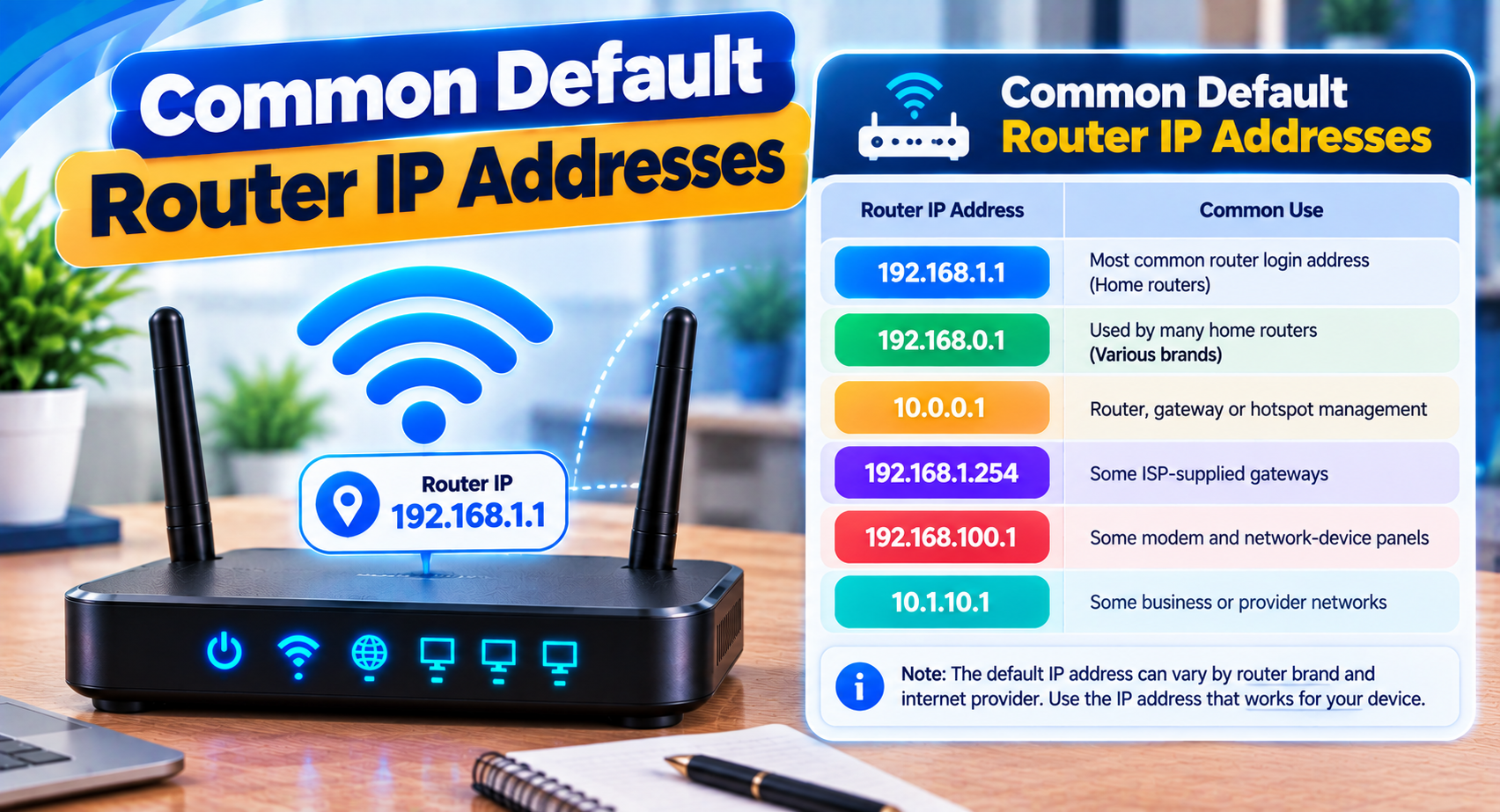
Many home and office routers use private IPv4 addresses from known ranges.
| Default IP Address | Common Use |
|---|---|
192.168.1.1 | Router admin and local gateway |
192.168.0.1 | Router or modem administration |
192.168.1.254 | Gateway used by some routers and ISP devices |
10.0.0.1 | Router, gateway or ISP equipment |
192.168.100.1 | Common on some modems and gateways |
192.168.8.1 | Used by some broadband and router devices |
192.168.10.1 | Used by routers, repeaters and access points |
192.168.2.1 | Another possible private router gateway |
The IP address actually assigned to your router matters more than what is commonly found online.
What Is a Default IP Address?
A router needs an address so devices on the network can talk to it.
When a manufacturer ships a router, the device uses a preset address at first. That address is often called the default IP address.
For example if a router uses 192.168.1.1 a connected computer might have an address like 192.168.1.20. Both devices are then on the local network.
The router’s IP can also be the default gateway. That means connected devices use it when sending traffic outside the network.
Default IP Does Not Mean Permanent IP
The word "default" can be confusing.
A router may start with one address. Later it might use another because:
- The owner changed its LAN settings
- An ISP provided a custom setup
- The router was connected behind another router
- A mesh system changed the network range
- The device was reset or set up again
- The manufacturer uses defaults across models
That is why a label saying 192.168.1.1 does not always mean the router still uses it.
How to Open a Default Router IP Address
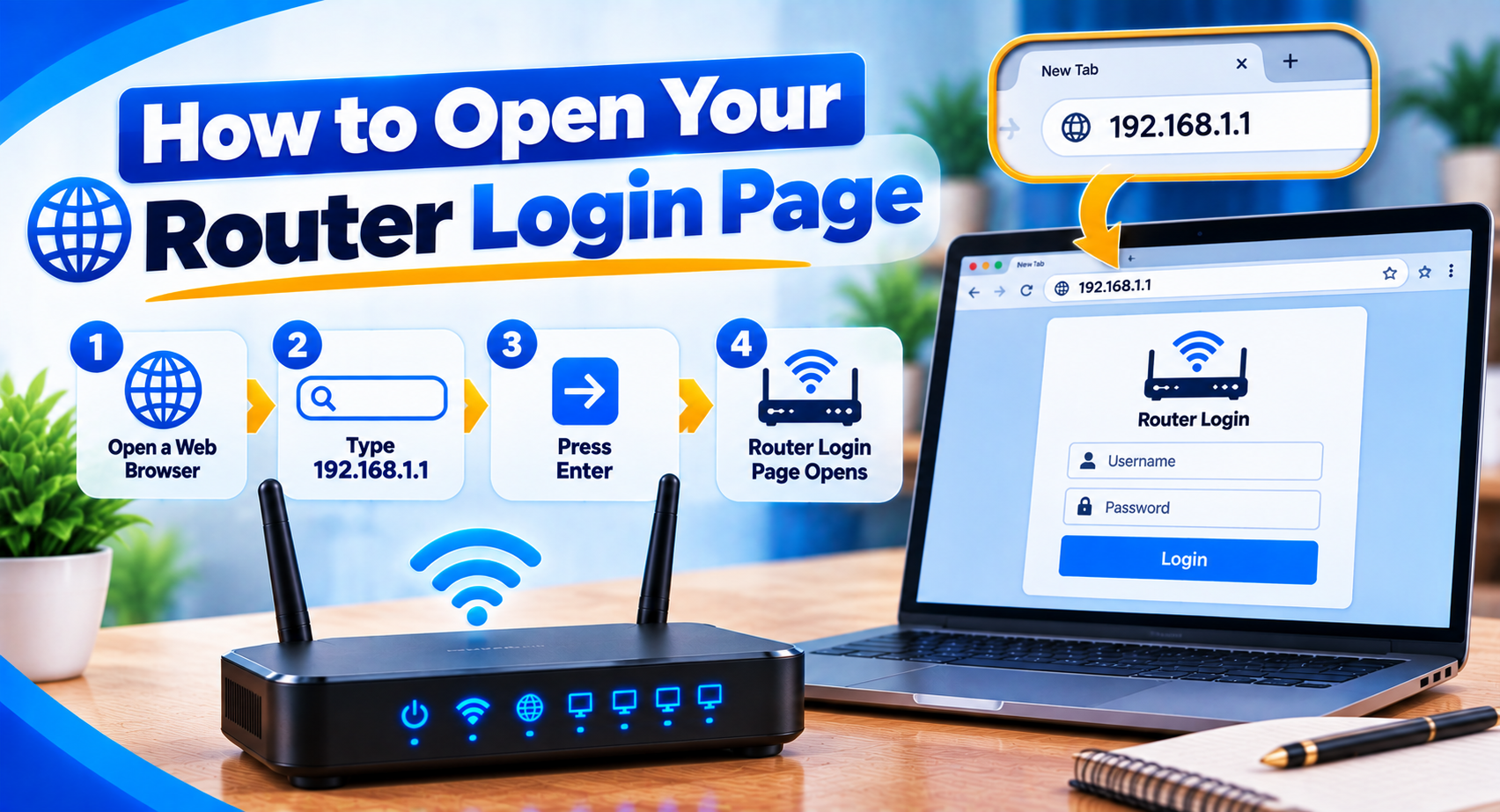
The basic method is simple.
- Connect your phone or computer to the router using WiFi or Ethernet.
- Open a web browser.
- Type the IP address in the browser’s address bar.
- Press Enter or Go.
- If the address is correct, the router login page should appear.
- Enter the administrator username and password.
Do not type the address into a search engine if you are trying to reach the router.
Default IP Address vs Router Login Password
The router IP and the router password are two different things.
The IP address tells your browser where the router is located on the network.
The admin password controls whether you are allowed to change its settings.
Knowing the right IP does not automatically give access to the router dashboard.
Also the WiFi password used to connect to the network may be different from the administrator password.
How to Find Your Router IP
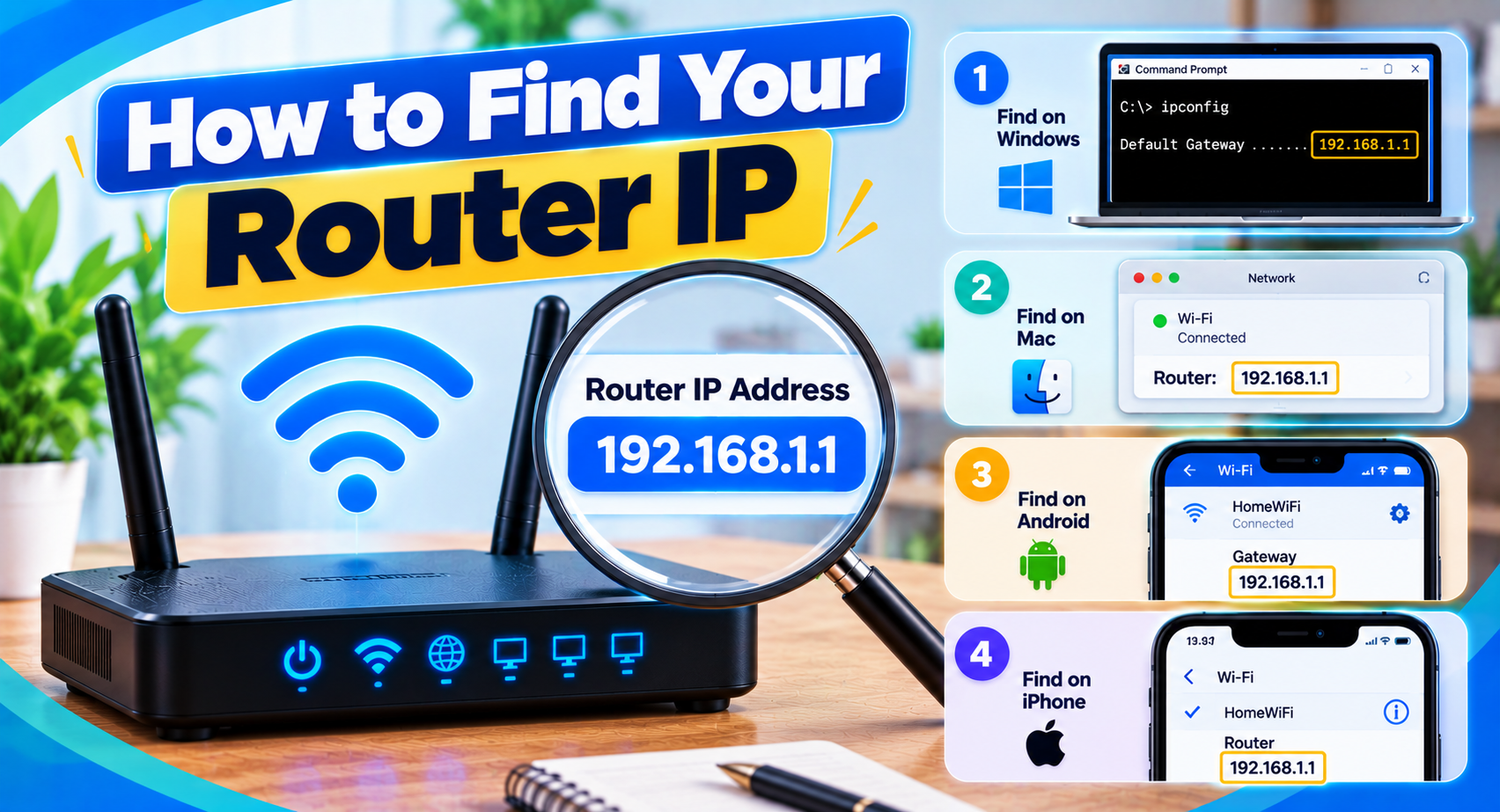
If a common default IP does not work, check the gateway currently assigned to your device.
Windows
On Windows look for Default Gateway in your network information. Our step-by-step guide shows how to find router IP address details on every device.
That value is usually the router’s IP address.
Android
Open the details of the WiFi network your phone is connected to.
Depending on the device the router address may appear under:
- Gateway
- Router
- Network details
iPhone or iPad
Open WiFi settings, select the network and find the field labeled Router.
MacOS
Check the details of the network connection and look for the router or gateway address.
Finding the gateway directly is usually faster than trying IPs one by one.
Why a Default IP Address May Not Open
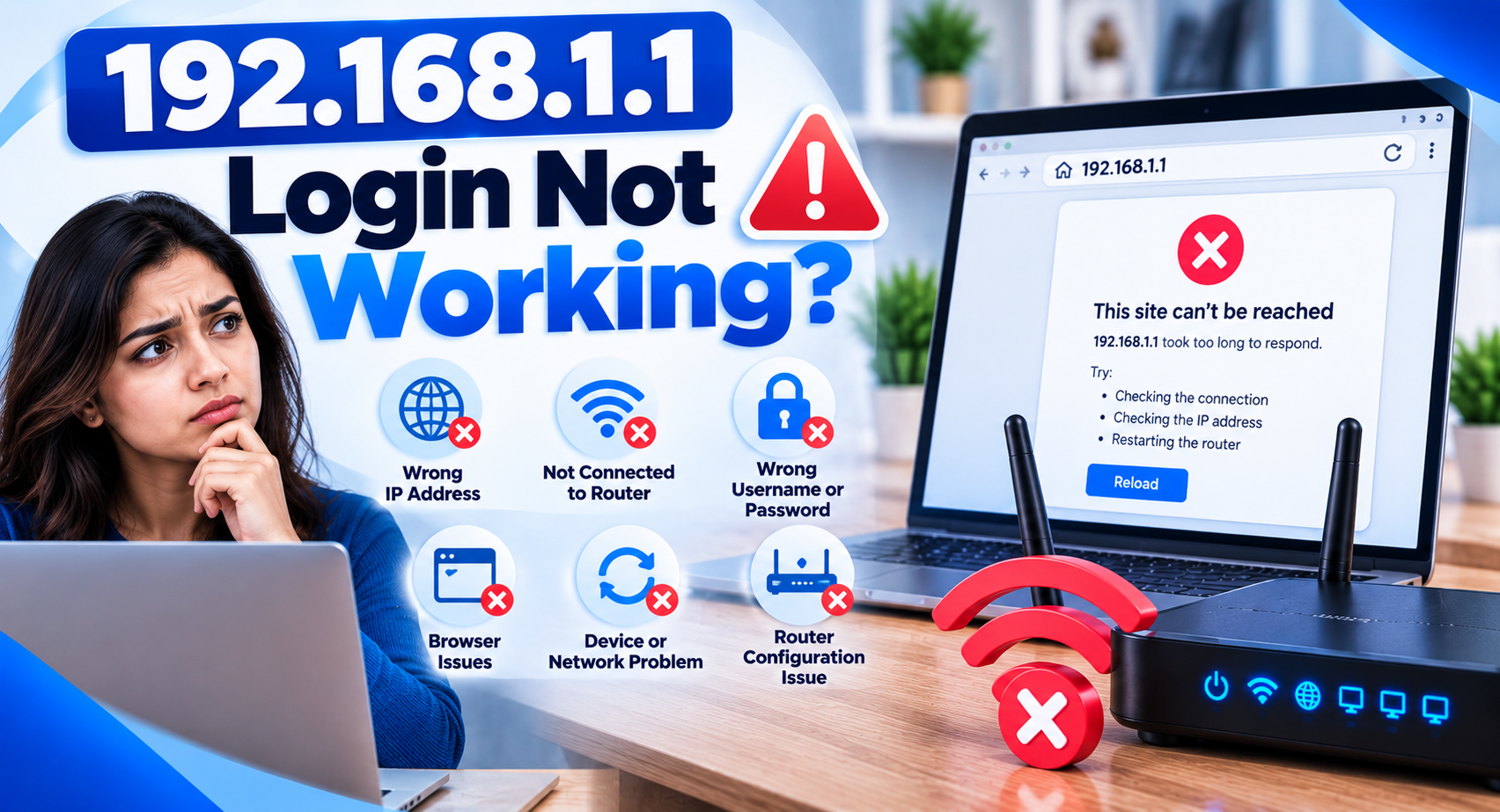
A router login page can fail even when the IP looks correct.
You Are Connected to the Wrong Network
The device must normally be connected to the router whose page you want to open.
If your phone is using data or another WiFi network the local IP may not respond.
The Router Uses Another Address
A router may use 192.168.0.1 or 192.168.1.1 or another private IP entirely.
Check the gateway instead of guessing.
The Address Was Typed Incorrectly
Small mistakes matter.
For example:
| Correct: | 192.168.1.1 |
| Incorrect: | 192.168.l.1 |
The second example uses the letter l instead of the number 1.
Extra commas, spaces, dots, www or .com can also cause problems.
The Router Is Not Responding
A software or network issue may stop the management page from loading.
Try a restart before making drastic changes.
Common Private IP Address Ranges
Most router default IP addresses come from IPv4 ranges reserved for private networks.
Common private ranges include addresses starting with:
- 10.x.x.x
- 172.16.x.x through 172.31.x.x
- 192.168.x.x
These private addresses are not routed across the public internet.
That is why two different homes can both have routers using 192.168.1.1 without any issue. Each address exists only inside its own local network.
Can Two Routers Use the Same Default IP?
Yes, routers in different homes can. However, having two routers with the same LAN address on one network can cause an IP conflict.
For example, if both routers are set to 192.168.1.1, devices may not know which one to use.
In multi-router setups, one router may need a different LAN IP or be set up in access point or bridge mode, depending on the network design.
Should You Change the Router’s Default IP?
For most home users there is no need to change it.
A different router IP can be useful in some setups, especially when:
- Two networks use overlapping ranges
- Multiple routers are connected together
- A business uses a planned addressing scheme
- A VPN or remote network conflicts with the local subnet
Changing the router IP without understanding the network can make the admin page seem to disappear. So note the address before saving changes.
Default IP After a Factory Reset
A factory reset may bring the router back to its factory or provider-defined network settings.
This can also change the router IP back to its default value.
However, a reset may also delete:
- WiFi name
- WiFi password
- Admin password
- ISP settings
- DNS configuration
- Port forwarding
- Parental controls
Do not factory reset a router simply because a common IP address does not open.
Frequently Asked Questions
What is the common default router IP address?
192.168.1.1 and 192.168.0.1 are both widely used. There is no single address used by every router.
Is 10.0.0.1 a default IP address?
Yes. Some routers, gateways and ISP devices use 10.0.0.1 as their management address.
Why does my default IP not work?
The router’s address may have been changed, your device may not be on the router’s network, or the model may use a different address.
Can I change my router’s default IP?
Usually yes if the router has LAN configuration options. The exact process depends on the device.
Is a default IP address the same as a public IP?
No. Router management addresses are usually private IPs used only inside the local network.
Do I need the internet to open a default router IP?
No. A local connection to the router is often enough.
Final Words
Default IP addresses let you reach routers and other devices on a local network, but the factory address is not guaranteed to stay the same.
Start with the address printed on the router documentation or label. If it does not work, check your device’s default gateway before trying resets or changing network settings.